Stop Juggling SIMs: Finding Which iPhone Has Dual SIM Capability
If you've ever had to carry two phones—one for work and one for personal life—or struggled to swap physical SIM cards while traveling internationally, you know the pain. Thankfully, Apple caught up with the modern world years ago, and many of their newer models offer robust Dual SIM functionality.
But the answer to which iPhone has Dual SIM isn't a simple yes or no. It depends heavily on the model year, and critically, the region where the device was purchased. This guide will cut through the confusion, provide the definitive list of compatible iPhones, and explain the crucial difference between physical SIM and Apple's powerful eSIM technology.
Let's dive in and simplify your connectivity life.
Understanding Dual SIM Technology on iPhone
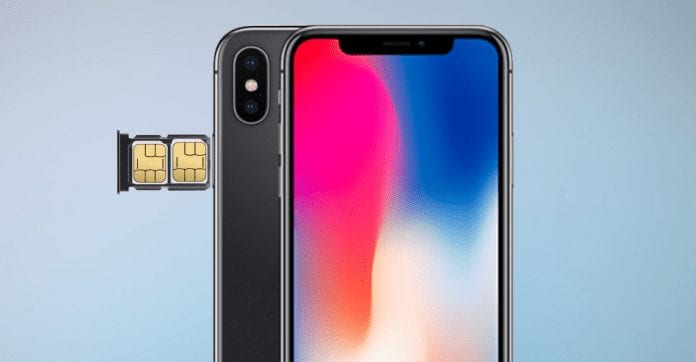
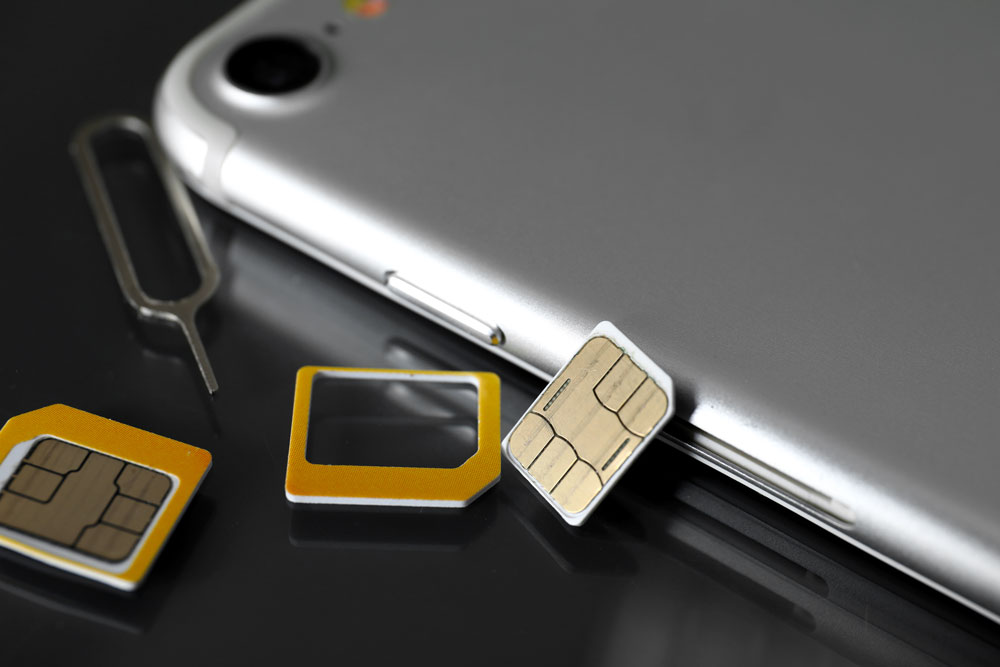
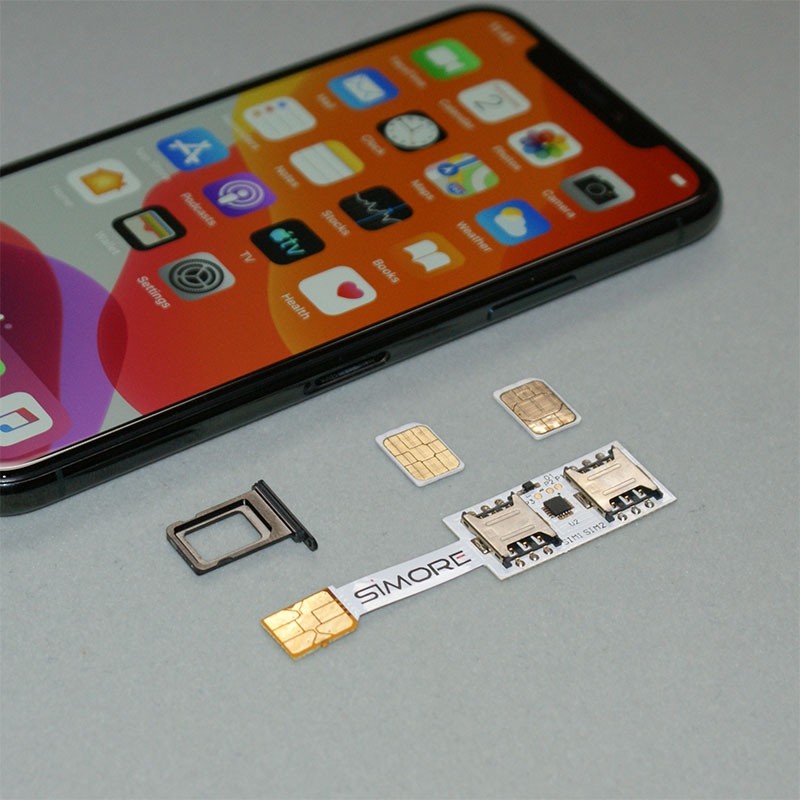
When we talk about Dual SIM on an iPhone, we are almost always talking about the combination of one physical nano-SIM card slot and one or more digital SIMs, known as eSIMs. This hybrid approach is Apple's standard way of offering two active phone numbers simultaneously on a single device.
The beauty of the eSIM is that it's embedded directly into the phone's hardware. You don't need a physical card; you simply activate it through a QR code provided by your carrier. This technology is key to answering which iPhone has Dual SIM, as all compatible models utilize this digital approach.
The Crucial Difference: Physical SIM vs. eSIM
A standard physical SIM requires manual insertion and removal. An eSIM, however, allows you to store multiple cellular plans digitally. While the iPhone can store many eSIM profiles, only two lines can be actively used at the same time (Dual SIM Dual Standby, or DSDS).
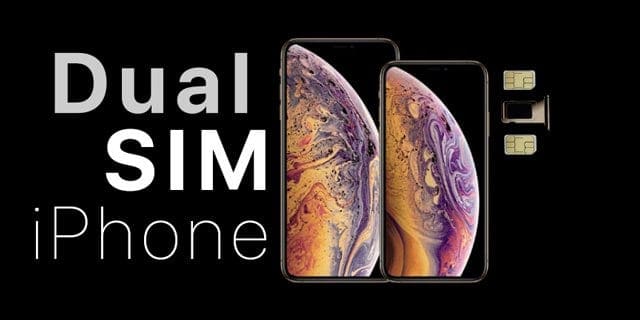
For context, the first iPhone model to feature Dual SIM functionality was the iPhone XS, released in 2018. Before that, every iPhone was strictly single SIM only. This jump marked a huge shift for international travelers and professionals.
Regional Differences: Why Your Phone Might Be Different
This is where things get tricky, and where knowledge is power. Apple maintains two primary hardware standards for Dual SIM phones:
- Rest of the World (RoW) Models: These phones typically support one physical nano-SIM and one or more eSIMs. This includes most iPhones sold in Europe, Australia, Asia, and Canada.
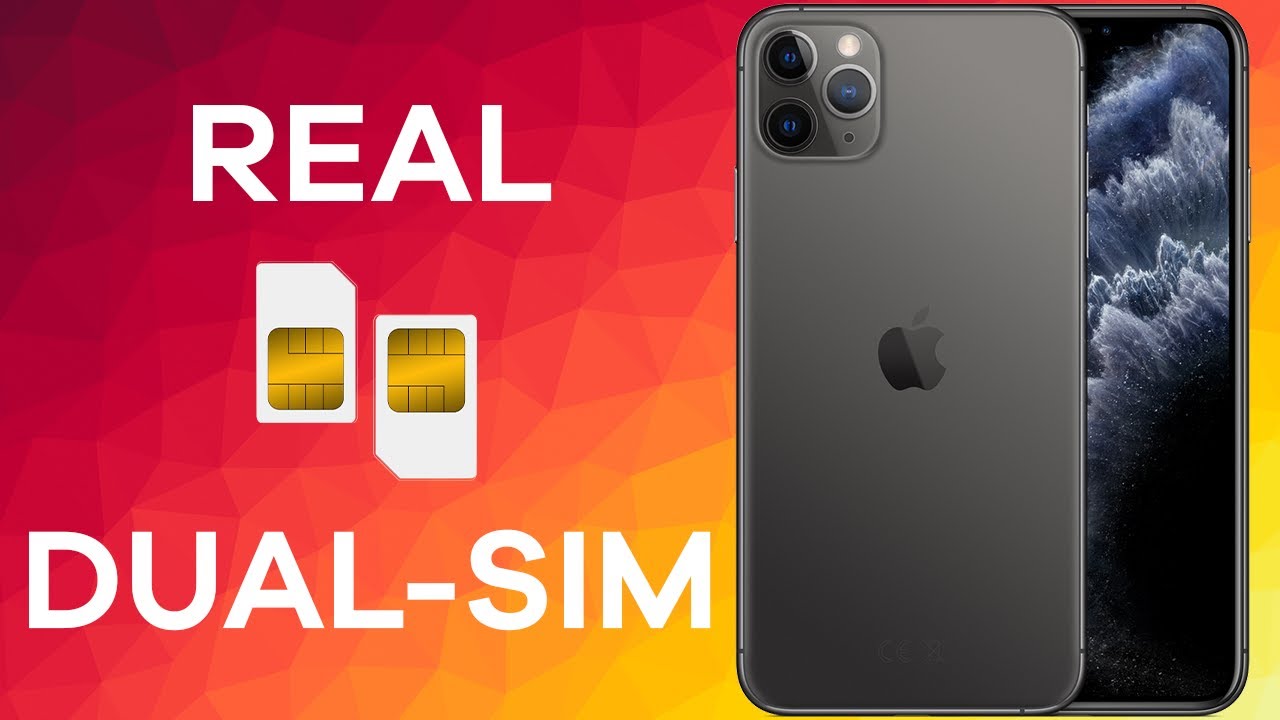
- China/Hong Kong/Macau Models: Due to regulatory differences and slower eSIM adoption in these specific regions, iPhones sold there (from the XS onwards) support Dual Physical Nano-SIMs. They have a special tray that holds two physical cards back-to-back.
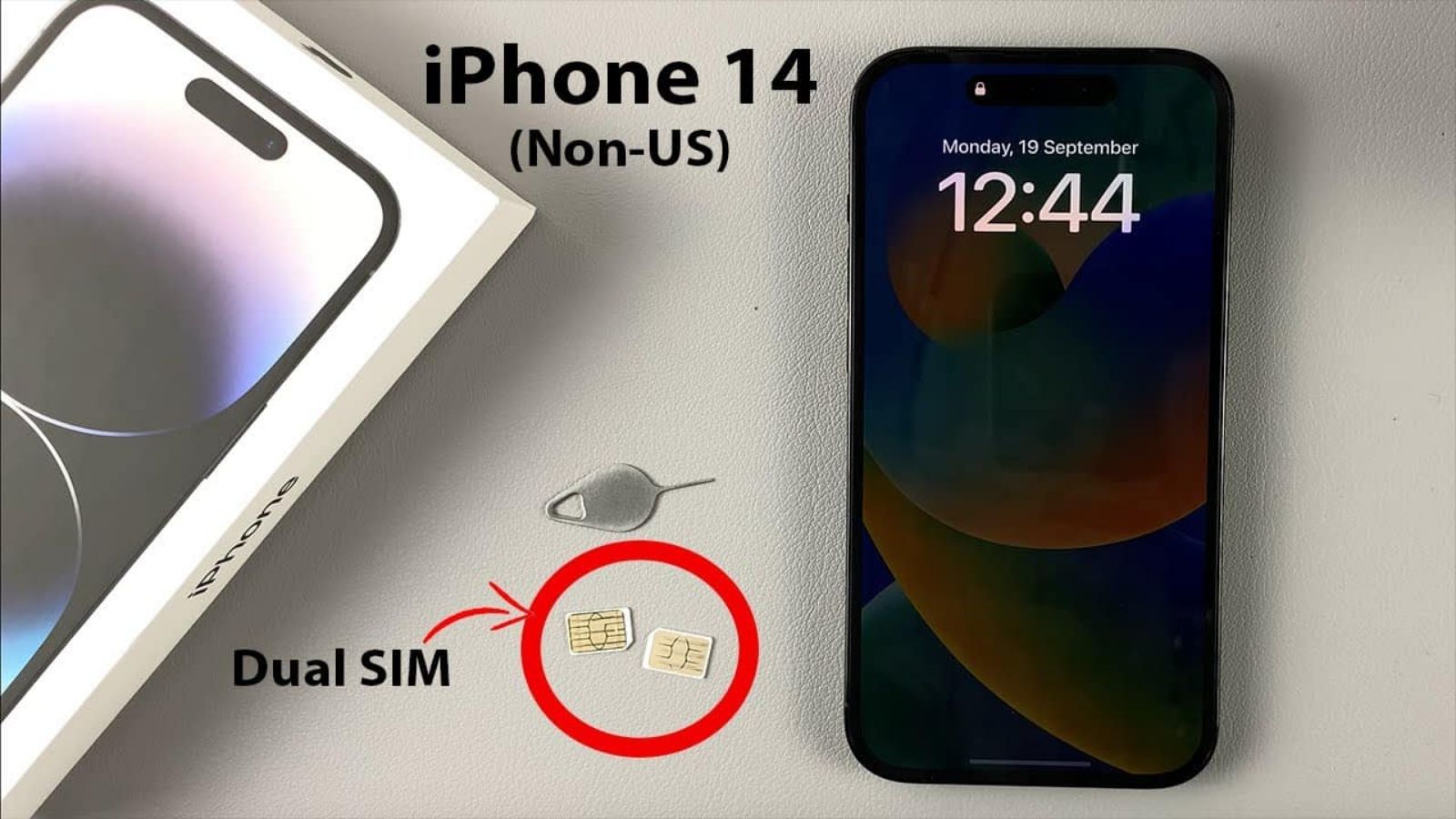
- United States Models (iPhone 14 and Newer): In a major change starting with the iPhone 14 series, all models sold in the U.S. have completely removed the physical SIM tray. They are eSIM-only, but they still fully support Dual SIM functionality (two active eSIMs).
Understanding these regional variations is vital if you are purchasing a used device or buying one while traveling. For most users outside of North America and mainland China, your Dual SIM setup will be physical SIM + eSIM.
The Definitive List: Which iPhone Models Support Dual SIM?
Here is the breakdown of which iPhone models support Dual SIM, divided by the type of support they offer. Note that "Dual SIM Support" means two active phone numbers simultaneously via DSDS technology.
Hybrid Models (Physical SIM + eSIM)
These models offer the standard global Dual SIM setup: one physical slot and one or more eSIM profiles (two active lines maximum).
- iPhone 13 series (Mini, Standard, Pro, Pro Max)
- iPhone 12 series (Mini, Standard, Pro, Pro Max)
- iPhone 11 series (Standard, Pro, Pro Max)
- iPhone XS Max / XR / XS
- iPhone SE (2nd and 3rd Generation)
The Full eSIM Era (Dual eSIM Only)
These models, primarily sold in the United States, have no physical SIM slot and rely entirely on two active eSIMs. They represent the definitive answer for those asking which iPhone has Dual SIM in the most modern iteration.
- iPhone 15 series (Standard, Plus, Pro, Pro Max)
- iPhone 14 series (Standard, Plus, Pro, Pro Max)
For a quick, scannable reference, consult the table below:
| iPhone Model | Dual SIM Support? | Standard Configuration (RoW) | US Configuration (Post-14) |
|---|---|---|---|
| iPhone 15 Series | Yes | Physical SIM + eSIM | Dual eSIM Only |
| iPhone 14 Series | Yes | Physical SIM + eSIM | Dual eSIM Only |
| iPhone 11, 12, 13 Series | Yes | Physical SIM + eSIM | Physical SIM + eSIM |
| iPhone XS / XR / SE (2nd & 3rd Gen) | Yes | Physical SIM + eSIM | Physical SIM + eSIM |
| iPhone X and older | No | Single SIM Only | Single SIM Only |
If you need deeper technical documentation on how DSDS works internally, you can reference this official document from a reputable tech source on mobile standards. Dual SIM Dual Standby (DSDS) Explained.
Practical Guide: Setting Up and Managing Dual SIM
Once you confirm that your device is one of the iPhones that supports Dual SIM, the setup process is surprisingly straightforward, especially if you are using eSIM.
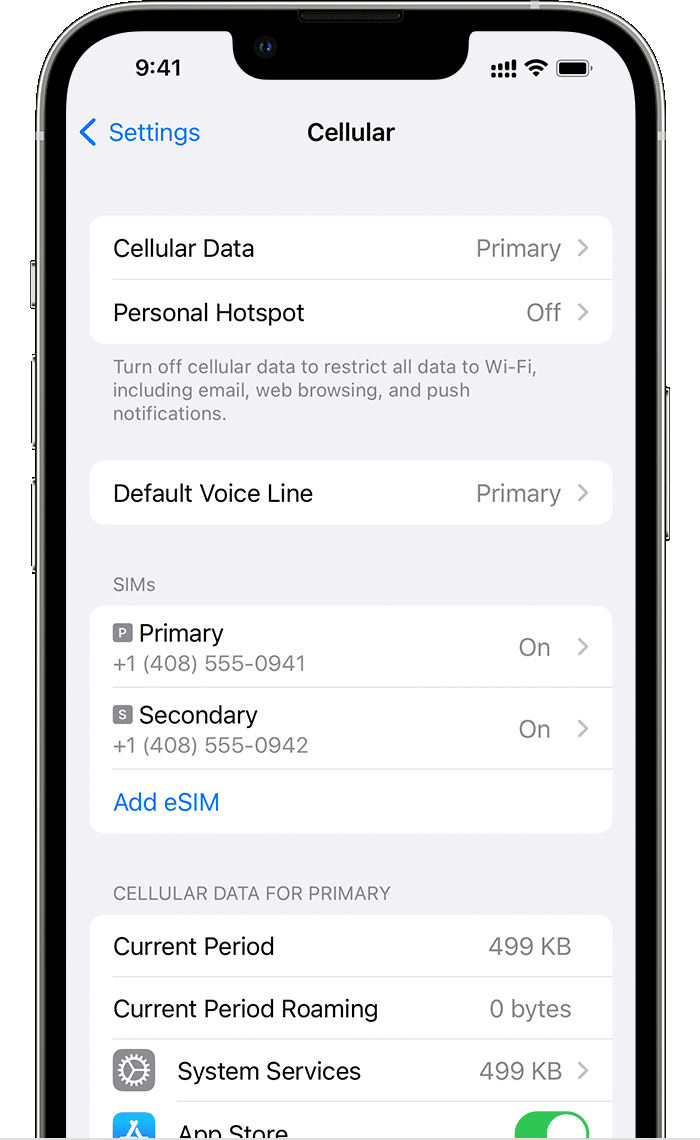
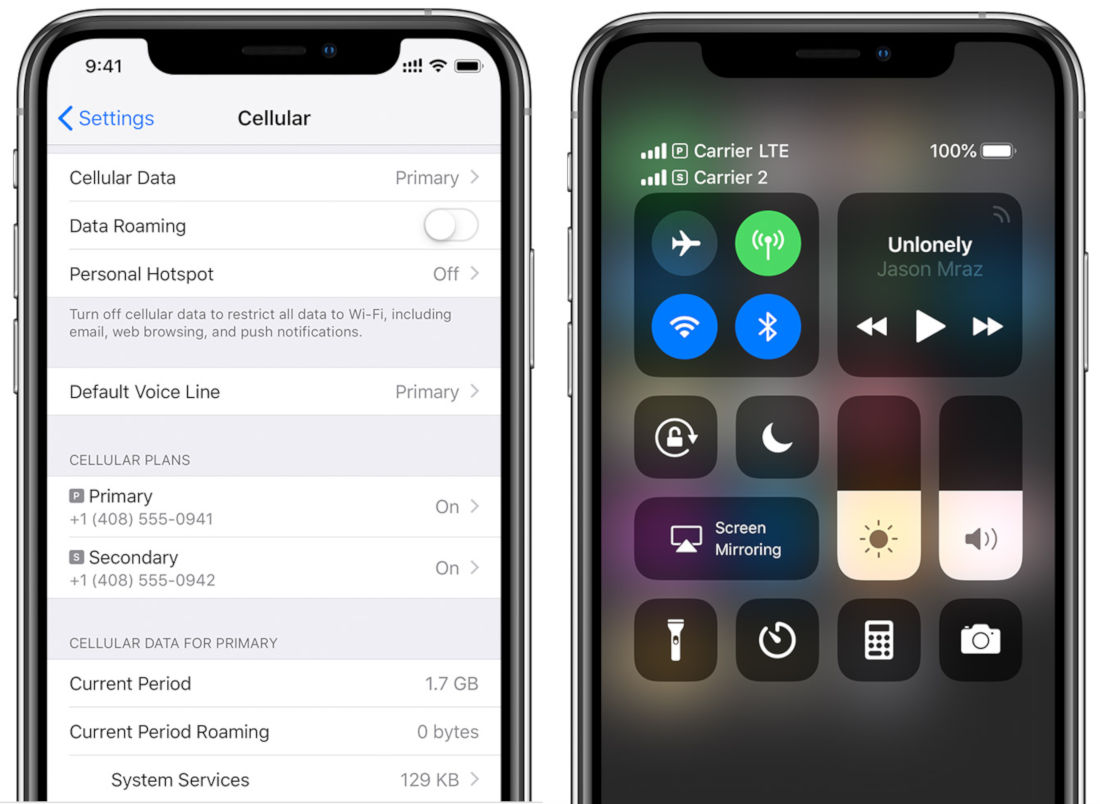
To activate an eSIM, you usually go to Settings > Cellular > Add Cellular Plan. You will either scan a QR code provided by your carrier or manually enter activation details. The process is almost instantaneous.
How to Assign Lines (Data vs. Voice)
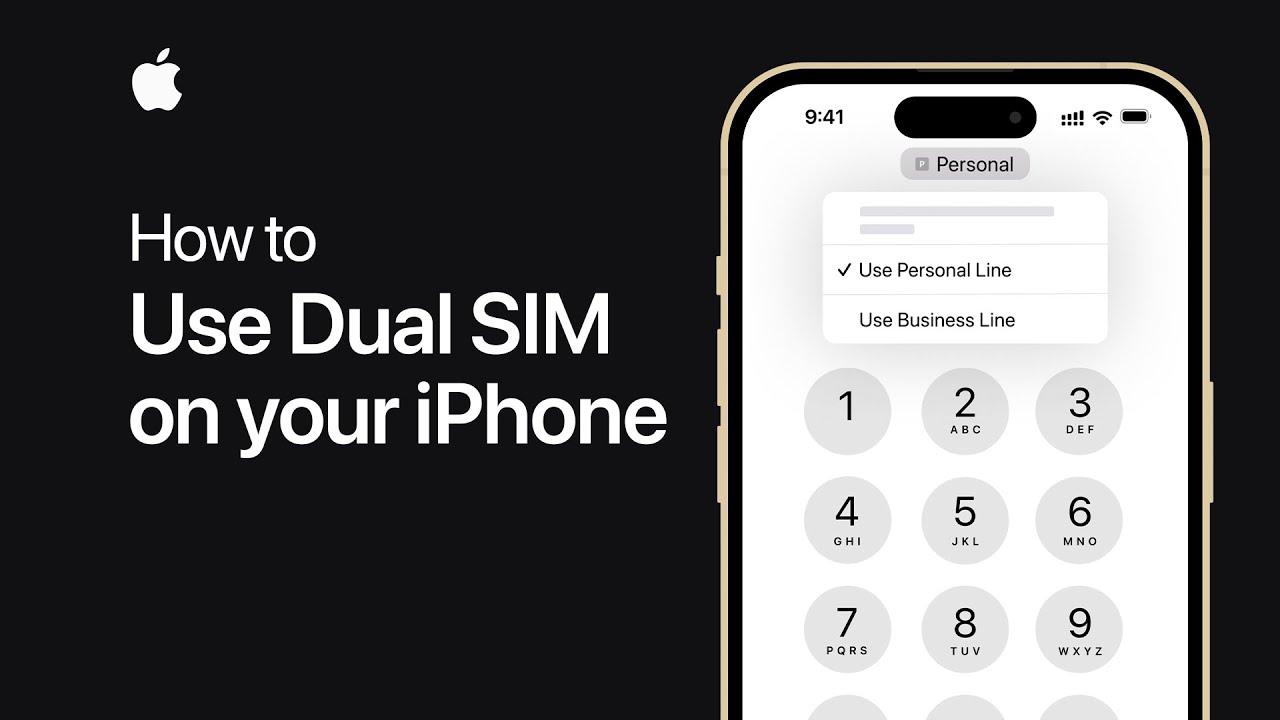
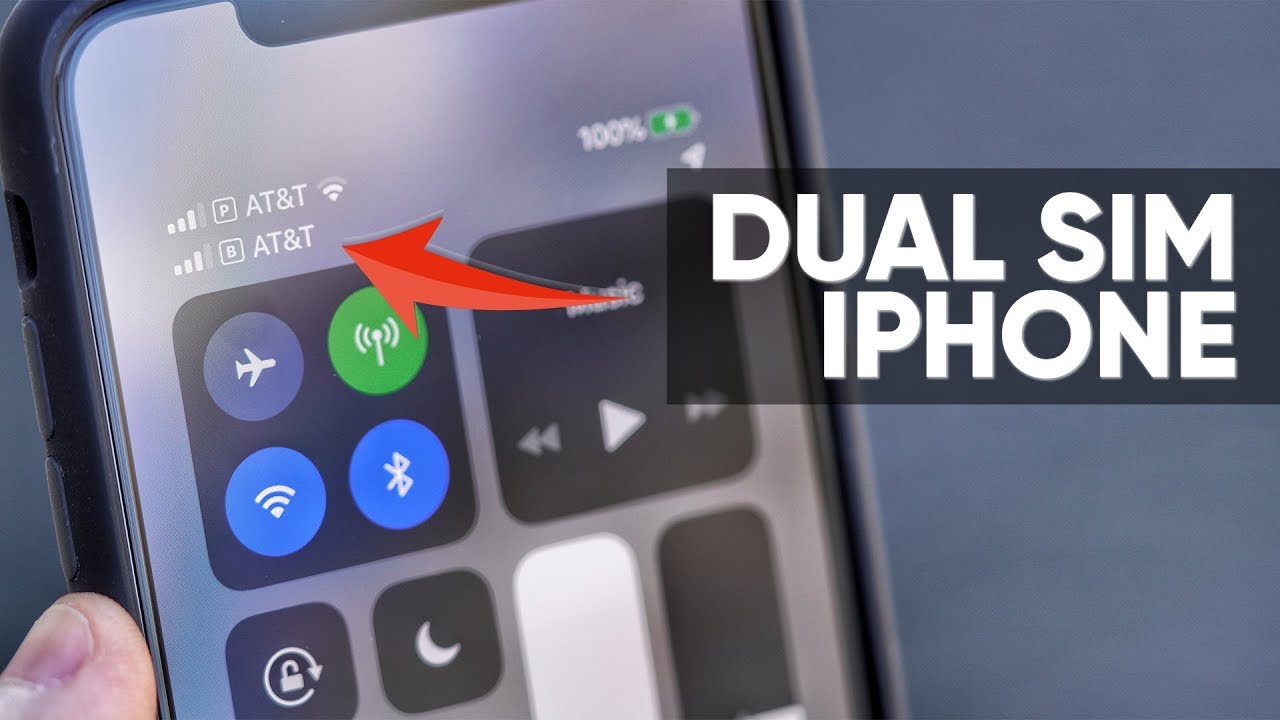
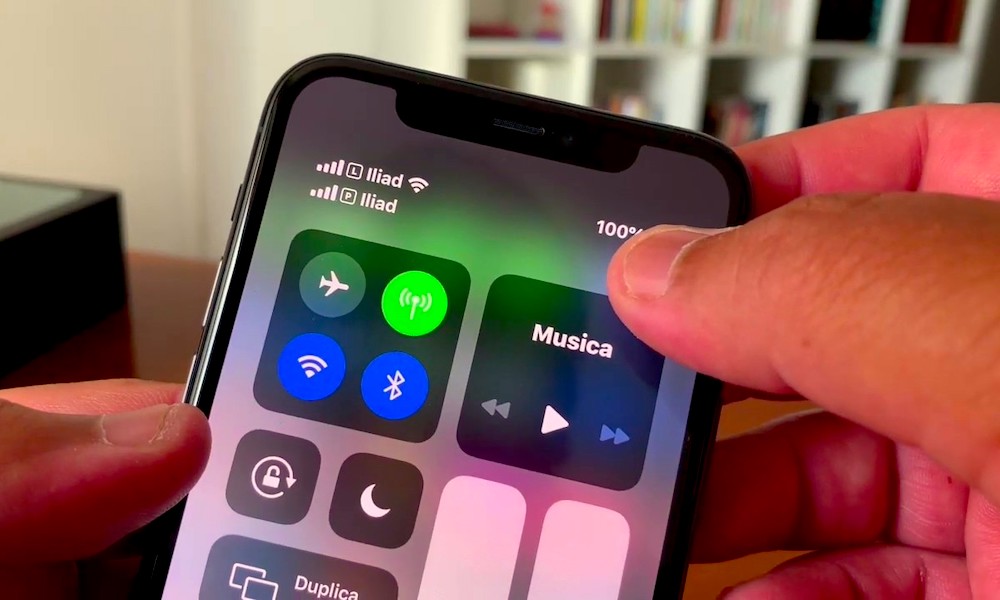
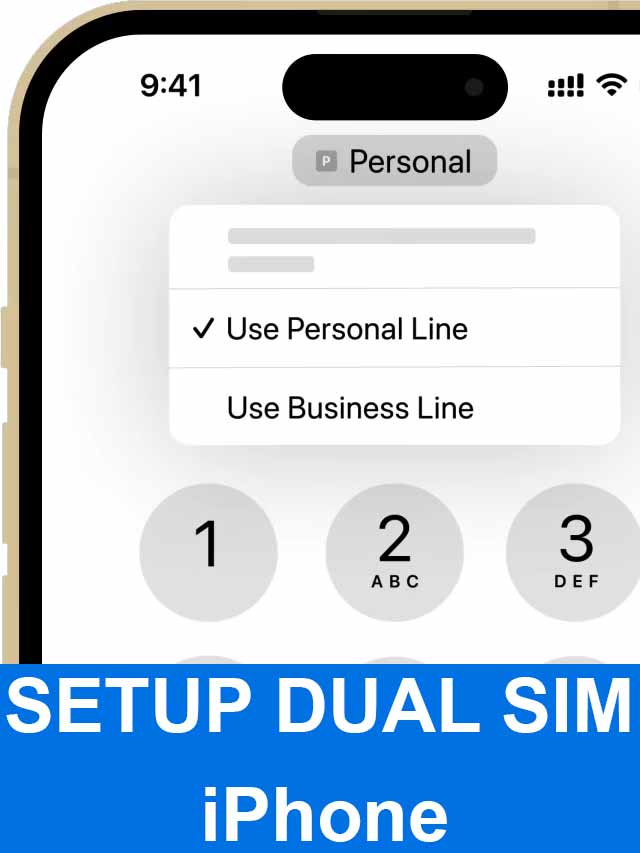
Apple makes managing your two lines intuitive. After setup, you can label your lines (e.g., "Personal," "Business," "Travel"). Critically, you must decide which line handles specific tasks:
- Default Line: This is the number all outgoing calls and texts will originate from unless you manually change it.
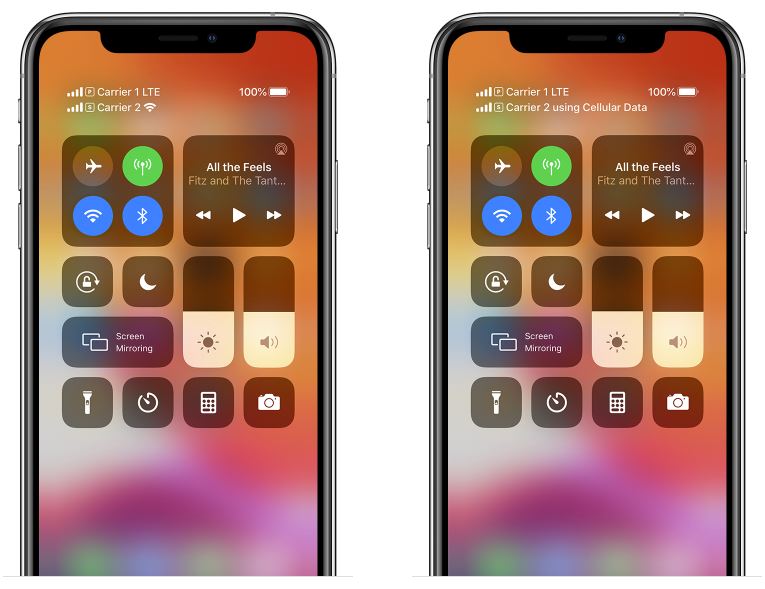
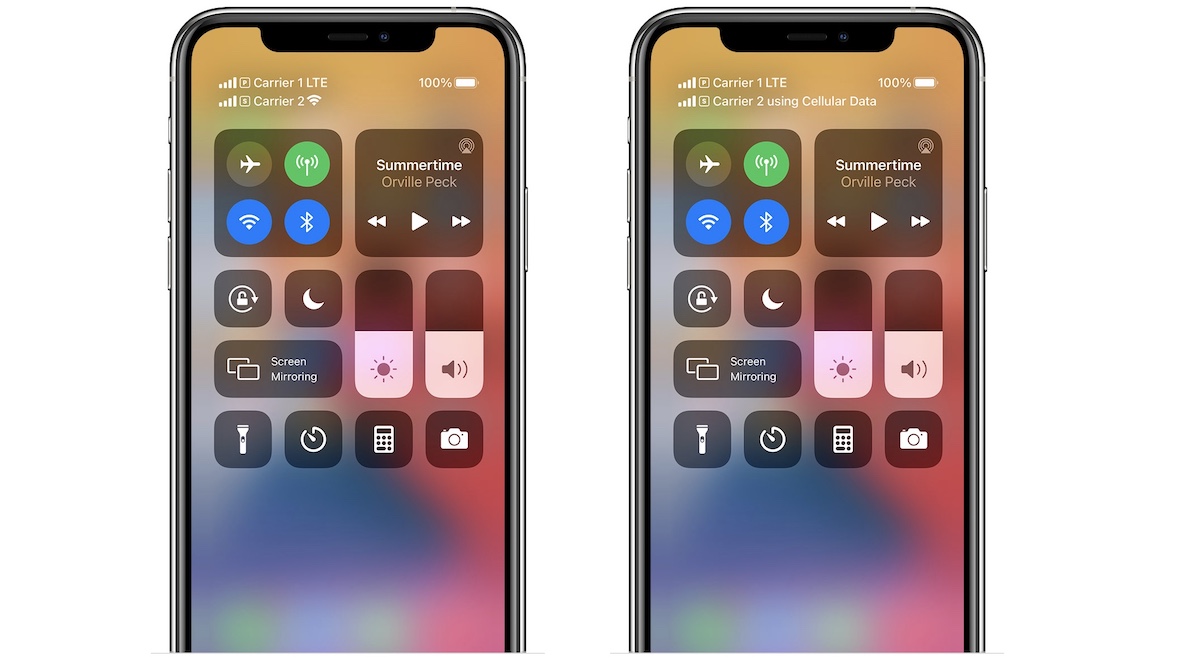
- Cellular Data: You must choose one line for cellular data. The other line will still be active for calls and texts (DSDS), but it won't connect to the internet unless you enable the "Allow Cellular Data Switching" feature.
For frequent travelers, this is a game-changer. You can keep your primary number (Line A) active for receiving calls while using a local, cheaper travel eSIM (Line B) exclusively for high-speed data access. [Baca Juga: Best eSIM Providers for International Travel].
Troubleshooting Common Dual SIM Issues
While reliable, Dual SIM isn't always perfect. The most common issues stem from carrier incompatibility or incorrect line settings:
- "No Service" on one line: Ensure your carrier actually supports eSIM (not all regional carriers do). Check that both lines are enabled in Settings > Cellular.
- Only one line gets data: Verify that you have selected the desired line for Cellular Data. Remember, only one line can be the designated data line at a time.
- Activation Failure: Ensure your device is unlocked. If your iPhone is locked to a specific carrier, it may refuse to activate an eSIM from a competitor. This is a common issue, and you may need to contact your original carrier for an unlock code. Apple Support on Carrier Locking.
Why Use Dual SIM? Use Cases and Benefits
Why bother with Dual SIM capability in the first place? The benefits move far beyond simple convenience and touch upon efficiency, cost savings, and privacy.
1. Business and Personal Separation
Keep your professional identity completely separate from your personal life without carrying two bulky devices. You can silence or pause notifications for your work line outside of office hours easily within iOS.
2. Seamless International Travel
This is arguably the biggest benefit. Before Dual SIM, you had to swap your home SIM for a local prepaid SIM upon landing, meaning you missed important texts or calls to your primary number. With Dual SIM, you keep your home line active for critical communications while using an affordable local data plan via eSIM.
3. Cost Efficiency
If you live near a border or commute between areas served better by different carriers, Dual SIM allows you to utilize the most cost-effective provider for data in each region. For instance, using one carrier for unlimited data and another for cheap voice minutes. [Baca Juga: Maximizing Savings with Dual SIM Phones].
The flexibility offered by iPhones that support Dual SIM is not just a niche feature; it's becoming essential for anyone with dynamic connectivity needs.
For more details on the evolution of cellular technology and its impact on Dual SIM capabilities, check out this academic resource: IEEE Journal on Wireless Communications.
Conclusion: The iPhone Dual SIM Landscape
The short answer to which iPhone has Dual SIM is nearly every model released since the iPhone XS (2018). However, the critical distinction lies in how that support is implemented.
If you have an iPhone 13 or older, you will use the reliable Physical SIM + eSIM method. If you are in the US and own an iPhone 14 or 15, you are fully in the Dual eSIM era. Regardless of the configuration, this feature provides unparalleled flexibility for managing multiple lines, making travel significantly easier, and streamlining your professional and personal lives onto one device.
Frequently Asked Questions (FAQ)
Can I use two different carriers simultaneously?
Yes. The primary purpose of Dual SIM on the iPhone is to allow two active phone numbers from two different carriers at the same time. This is perfect for mixing a carrier with strong local coverage with a specialized travel carrier.
Are older iPhones like the iPhone 8 or 7 Dual SIM compatible?
No. Apple only introduced Dual SIM functionality starting with the iPhone XS, XS Max, and XR in 2018. All older models are strictly single physical SIM devices.
What is the difference between Dual SIM in the US vs. China?
In the US (for iPhone 14/15), Dual SIM means Dual eSIM (no physical slot). In China, Hong Kong, and Macau, Dual SIM means Dual Physical SIM (a special tray holds two physical cards).
Does using Dual SIM drain my battery faster?
Generally, yes, but only slightly. Since the phone is maintaining simultaneous connections to two different carrier networks (Dual SIM Dual Standby), it requires marginally more energy than maintaining a single connection. The difference is usually negligible for modern iPhones.
Which Iphone Has Dual Sim
Which Iphone Has Dual Sim Wallpapers
Collection of which iphone has dual sim wallpapers for your desktop and mobile devices.
Amazing Which Iphone Has Dual Sim Moment Illustration
Discover an amazing which iphone has dual sim background image, ideal for personalizing your devices with vibrant colors and intricate designs.
Vibrant Which Iphone Has Dual Sim Background for Desktop
Explore this high-quality which iphone has dual sim image, perfect for enhancing your desktop or mobile wallpaper.
Lush Which Iphone Has Dual Sim Artwork for Mobile
This gorgeous which iphone has dual sim photo offers a breathtaking view, making it a perfect choice for your next wallpaper.
Vibrant Which Iphone Has Dual Sim Image Photography
Transform your screen with this vivid which iphone has dual sim artwork, a true masterpiece of digital design.

Artistic Which Iphone Has Dual Sim Photo for Mobile
Find inspiration with this unique which iphone has dual sim illustration, crafted to provide a fresh look for your background.
Beautiful Which Iphone Has Dual Sim Artwork for Your Screen
Transform your screen with this vivid which iphone has dual sim artwork, a true masterpiece of digital design.

Beautiful Which Iphone Has Dual Sim Wallpaper Concept
Experience the crisp clarity of this stunning which iphone has dual sim image, available in high resolution for all your screens.
Vibrant Which Iphone Has Dual Sim Scene Photography
Explore this high-quality which iphone has dual sim image, perfect for enhancing your desktop or mobile wallpaper.
Spectacular Which Iphone Has Dual Sim Image for Your Screen
Immerse yourself in the stunning details of this beautiful which iphone has dual sim wallpaper, designed for a captivating visual experience.
Artistic Which Iphone Has Dual Sim Artwork Art
A captivating which iphone has dual sim scene that brings tranquility and beauty to any device.
Exquisite Which Iphone Has Dual Sim Picture Art
A captivating which iphone has dual sim scene that brings tranquility and beauty to any device.
Detailed Which Iphone Has Dual Sim Wallpaper Nature
Explore this high-quality which iphone has dual sim image, perfect for enhancing your desktop or mobile wallpaper.

Vivid Which Iphone Has Dual Sim Abstract Collection
Transform your screen with this vivid which iphone has dual sim artwork, a true masterpiece of digital design.

Lush Which Iphone Has Dual Sim Scene for Desktop
This gorgeous which iphone has dual sim photo offers a breathtaking view, making it a perfect choice for your next wallpaper.
Detailed Which Iphone Has Dual Sim Abstract for Mobile
Experience the crisp clarity of this stunning which iphone has dual sim image, available in high resolution for all your screens.
Dynamic Which Iphone Has Dual Sim Landscape in HD
A captivating which iphone has dual sim scene that brings tranquility and beauty to any device.
High-Quality Which Iphone Has Dual Sim Moment for Your Screen
Discover an amazing which iphone has dual sim background image, ideal for personalizing your devices with vibrant colors and intricate designs.
Serene Which Iphone Has Dual Sim Picture Photography
Experience the crisp clarity of this stunning which iphone has dual sim image, available in high resolution for all your screens.
Gorgeous Which Iphone Has Dual Sim Abstract for Your Screen
This gorgeous which iphone has dual sim photo offers a breathtaking view, making it a perfect choice for your next wallpaper.
Spectacular Which Iphone Has Dual Sim View Collection
Immerse yourself in the stunning details of this beautiful which iphone has dual sim wallpaper, designed for a captivating visual experience.
Download these which iphone has dual sim wallpapers for free and use them on your desktop or mobile devices.