Iphone Security Check: Your Comprehensive Guide to Peace of Mind
In today's digital world, your iPhone is more than just a communication tool—it's a vault containing your photos, financial information, and personal secrets. That's why running a regular Iphone Security Check isn't just a recommendation; it's a necessary step to protect your digital life.
Are you confident that your device is truly secure? If you're using weak passwords or neglecting critical privacy settings, you might be leaving the door wide open for prying eyes. This guide will walk you through everything you need to know to lock down your device and ensure maximum safety. We'll cover Apple's built-in features and the best practices for personal security, all explained simply and clearly.
Why an Iphone Security Check is Non-Negotiable
Think of an Iphone Security Check as performing routine maintenance on your digital armor. Apple is constantly fighting sophisticated threats, but the strongest link in the security chain is always you, the user. Ignoring simple security steps can lead to devastating consequences, from identity theft to financial fraud.
We often forget about old apps we downloaded years ago or outdated permissions we granted during a rush. A thorough check helps you identify and eliminate these vulnerable points. It ensures that only you, and the services you trust, have access to your sensitive data.
Moreover, staying proactive prevents you from relying solely on recovery steps after a breach occurs. Prevention is always easier, and less stressful, than damage control.
Step-by-Step Guide to Running an Effective Security Check
Ready to tighten things up? This general Iphone Security Check involves a few key areas, starting with the fundamentals. Make sure you tackle each item on this checklist regularly, perhaps once every three months, to maintain optimal security.
- Update Your iOS: Always install the latest iOS updates immediately. These updates frequently include crucial security patches that fix newly discovered vulnerabilities.
- Review Passcode/Biometrics: Ensure you are using a strong alphanumeric passcode (6 digits or more) and that Face ID or Touch ID is correctly configured and working reliably.
- Enable Two-Factor Authentication (2FA): This is the single most important step for securing your Apple ID. If 2FA is not enabled, enable it right now under Settings > [Your Name] > Password & Security.
- Check Find My Settings: Verify that Find My iPhone is turned on. This feature is invaluable if your device is lost or stolen, allowing you to track, lock, or remotely erase the data.
Reviewing Your Privacy and Tracking Settings
Apple gives you tremendous control over who tracks you and how your data is used. During your Iphone Security Check, diving deep into the Privacy settings is essential for maintaining control over your digital footprint. This is where you limit data collection by apps and advertisers.
- Location Services: Go through the list of apps using your location. Change settings from 'Always' to 'While Using' for any app that doesn't genuinely need constant access (like most social media apps).
- Tracking Transparency: In iOS 14.5 and later, check Settings > Privacy & Security > Tracking. Make sure 'Allow Apps to Request to Track' is set according to your preference, and review which specific apps you have allowed or denied tracking permission to.
- Limit Ad Tracking: While Apple's ads are generally less invasive than others, you can still limit personalization by going to Settings > Privacy & Security > Apple Advertising and disabling personalized ads.
Mastering App Permissions and Data Access
Many users blindly grant permissions when installing a new app. Over time, these unnecessary permissions can pose a significant security risk, allowing access to your microphone, camera, or photos when it's not required for the app's functionality. This is a critical part of any effective Iphone Security Check.
Take time to review app permissions in the Settings menu. If a simple calculator app demands access to your photos, delete it immediately. If a weather app wants to use your microphone, deny it. Be ruthless in revoking access for apps that don't absolutely need it to function properly.
The Power of the Built-In 'Safety Check' Feature
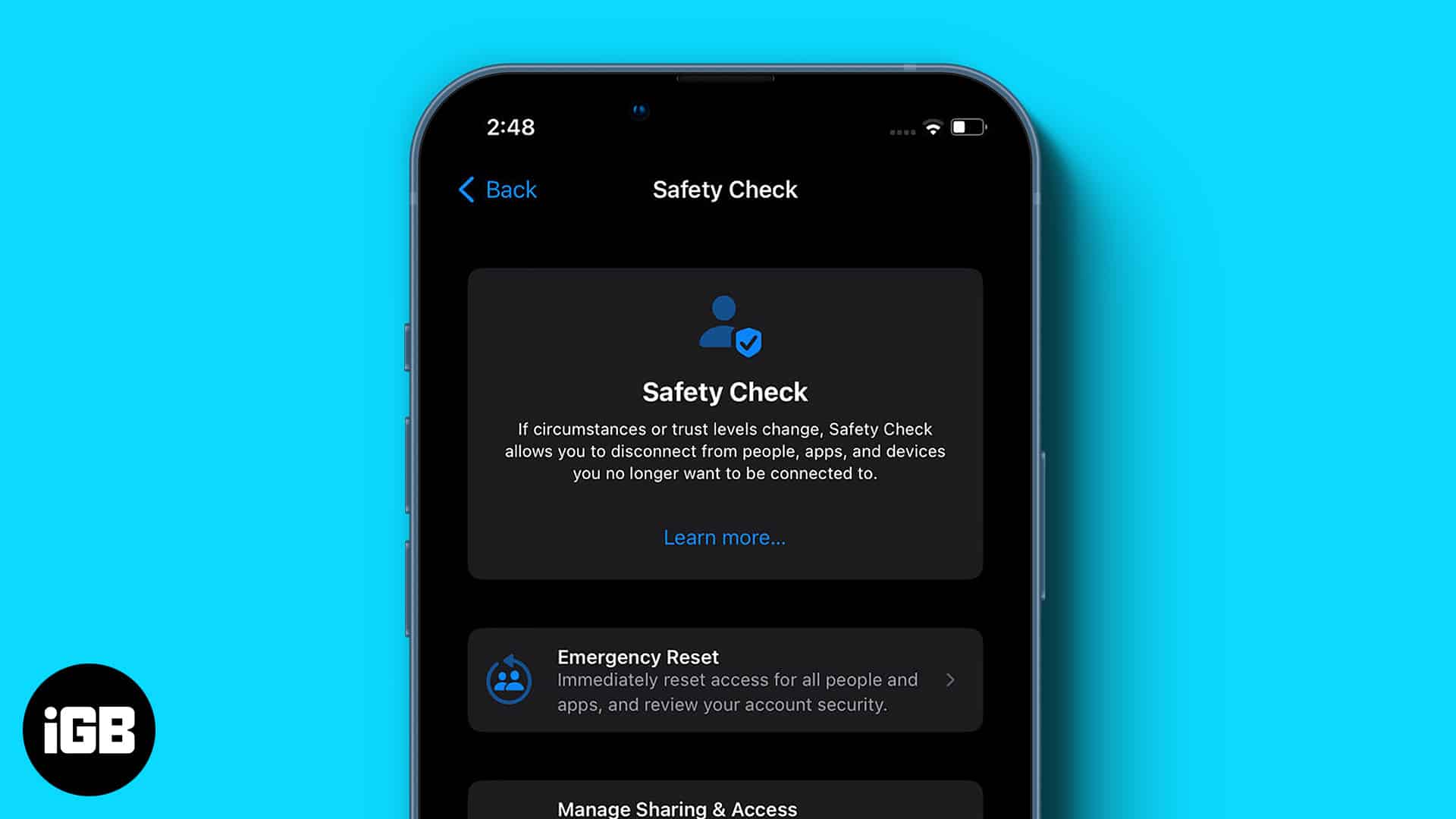
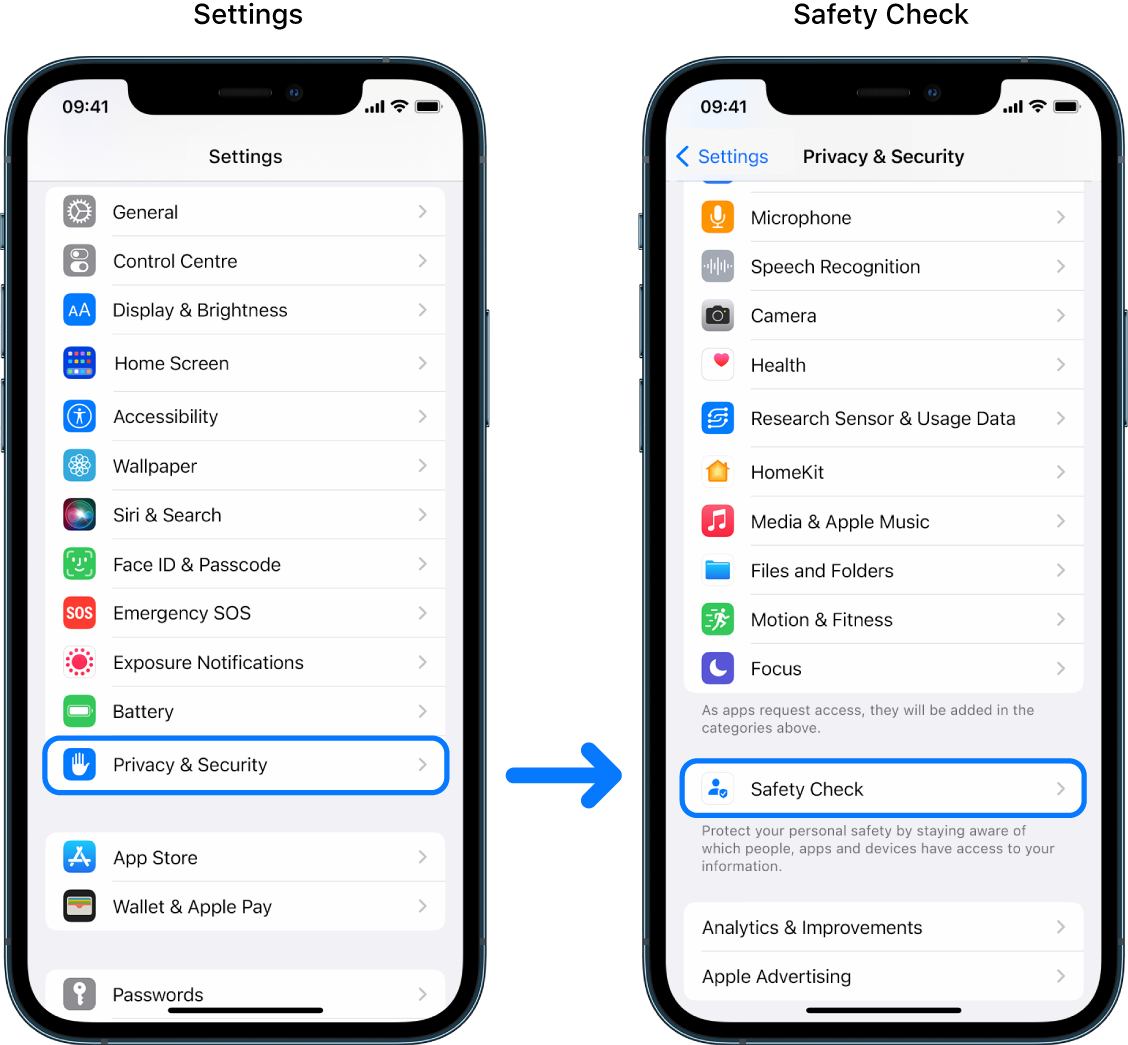
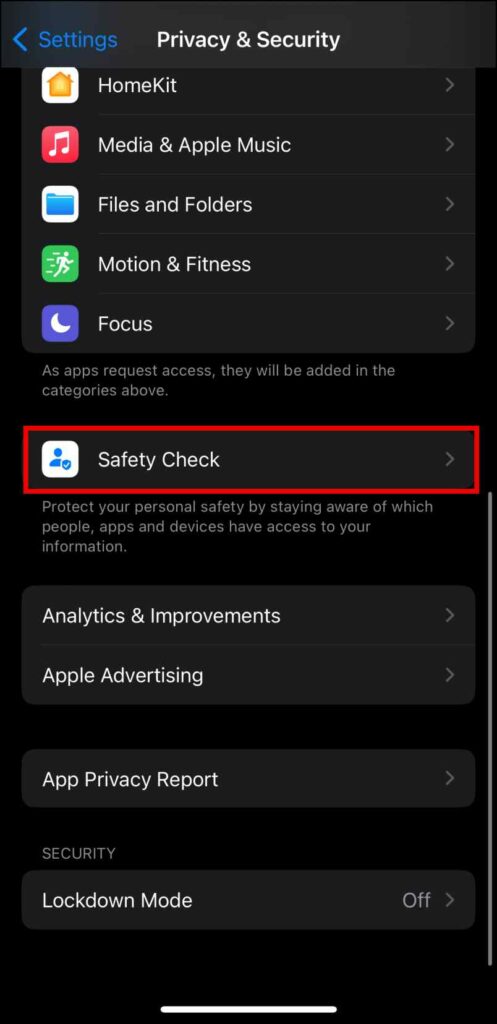
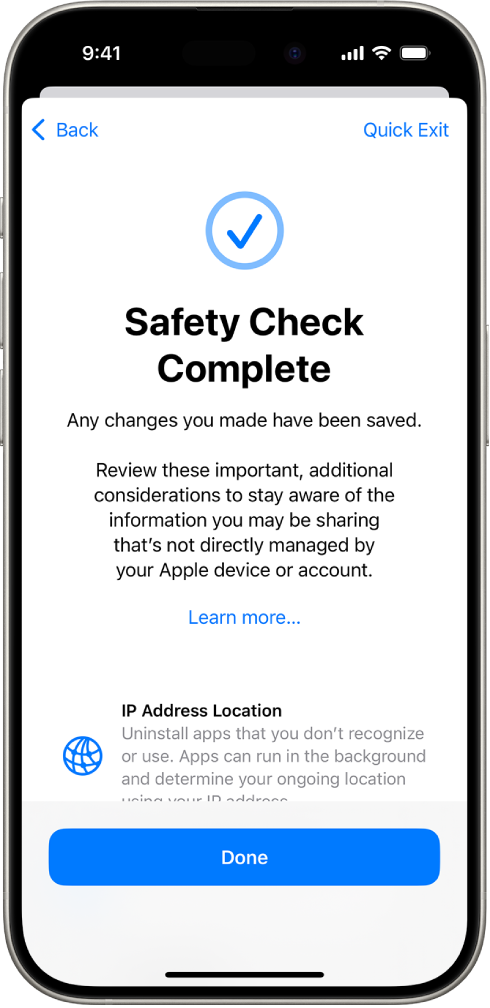
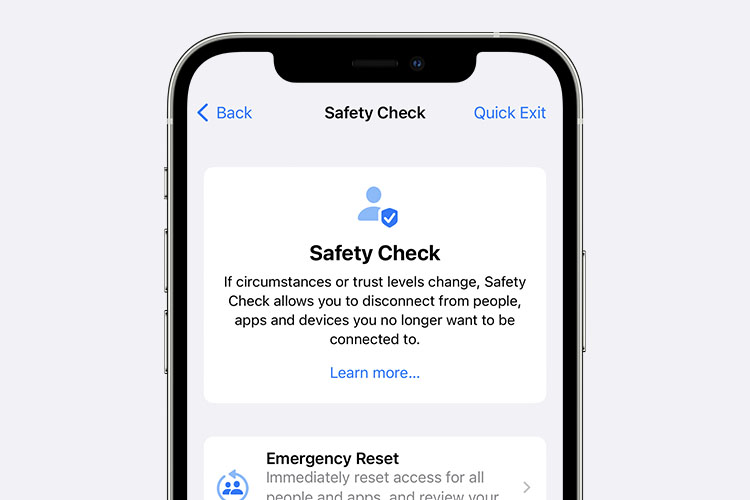
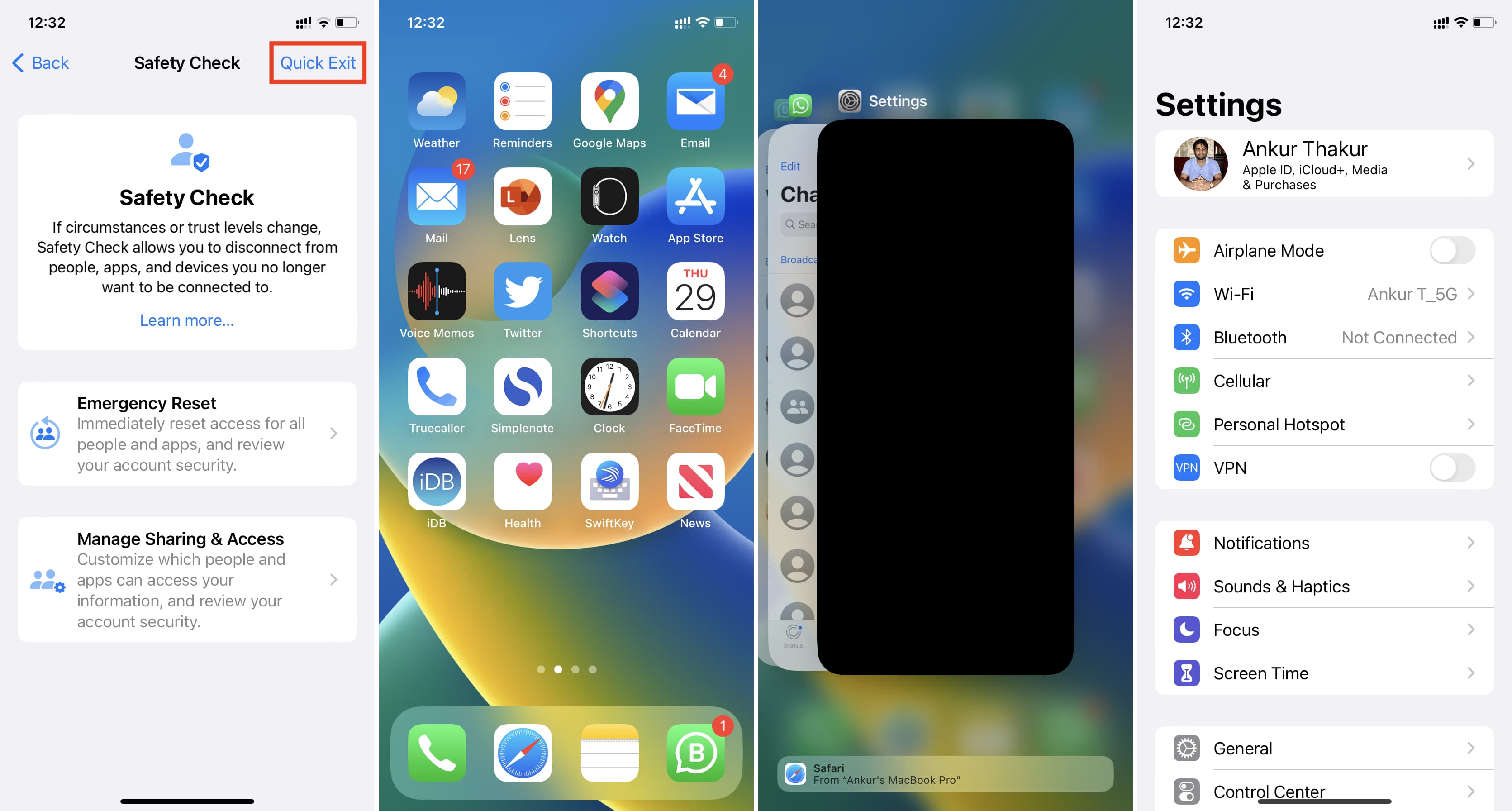
Apple introduced 'Safety Check' (available in iOS 16 and later) primarily as a tool for individuals whose personal safety is at risk, such as those experiencing domestic abuse. However, it is an extremely powerful feature for anyone who wants a complete, centralized Iphone Security Check of shared access and information.
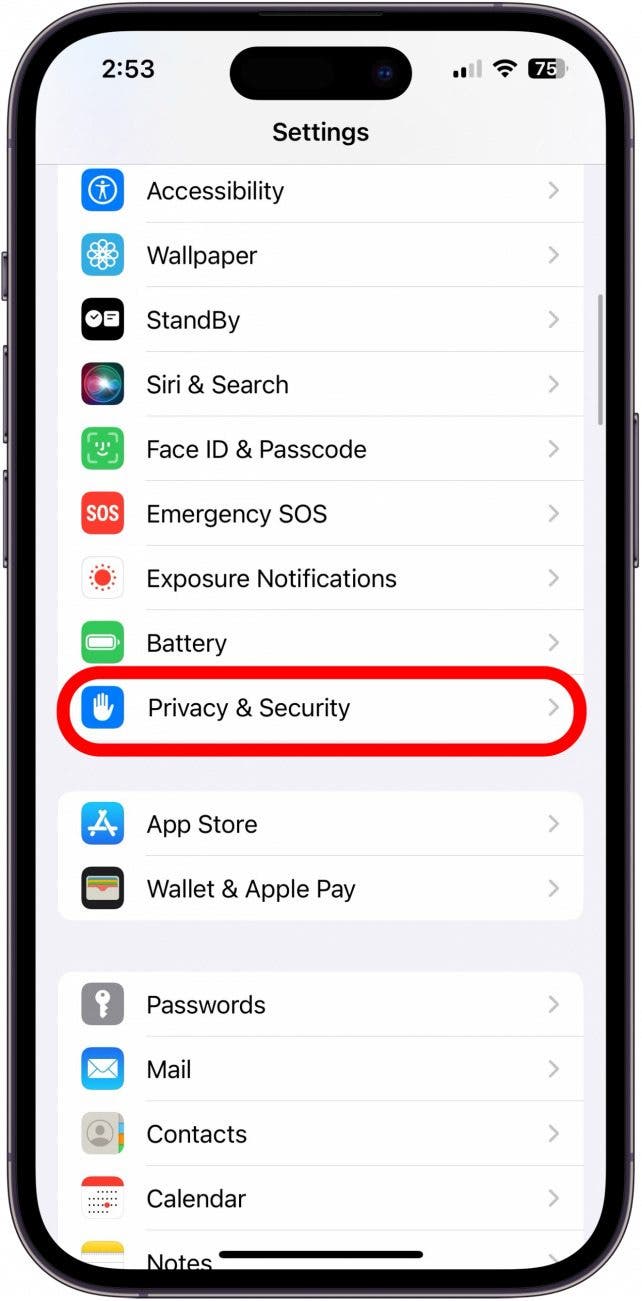
You can find Safety Check in Settings > Privacy & Security. It allows you to quickly see and manage who has access to your location, shared passwords, photos, and messages, especially those shared via Family Sharing or third-party apps.
Emergency Reset: What It Does
The 'Emergency Reset' option within Safety Check is designed for immediate crises. If you feel unsafe or fear someone has unauthorized access, this button acts as a digital panic button. It instantly stops sharing your location via Find My and revokes access to all apps and data that are shared with other people.
Crucially, it also changes your Apple ID password and reviews the trusted phone numbers associated with your account. Using Emergency Reset offers the fastest path to isolate your device from any unwanted external connection.
Understanding Shared Access Review
If you don't need an Emergency Reset, the 'Manage Sharing & Access' feature within Safety Check provides a granular, user-friendly review. This is ideal for a regular, less dramatic Iphone Security Check.
This process breaks down shared access into three main categories:
- People: Who can access your location, Home app accessories, or specific photo albums?
- Apps: Which apps have access to crucial data like Contacts, Calendar, or Photos?
- Devices: A list of devices signed into your Apple ID. This is vital for removing old iPhones or iPads you no longer own.
Always check the list of 'People' carefully. If you see someone you no longer trust, or a family member who shouldn't have access to certain data streams, this is the place to cut off their connection quickly and cleanly.
Beyond the Settings: User Best Practices
While settings are important, user habits are just as vital for a successful Iphone Security Check. Here are a few final tips:
- Be Wary of Phishing: Never click on suspicious links in emails or texts, even if they appear to be from Apple or your bank. Always navigate to official websites directly.
- Public Wi-Fi Warning: Avoid entering sensitive information (like banking passwords) while connected to unsecured public Wi-Fi networks. Consider using a Virtual Private Network (VPN) for extra encryption when out and about.
- Review Downloaded Profiles: Sometimes, installing corporate apps or specialized utilities requires installing a profile. Go to Settings > General > VPN & Device Management. If you see profiles you don't recognize or no longer need, delete them immediately, as they can grant elevated access rights.
Conclusion: Maintaining Your Digital Fortress
Performing a thorough and consistent Iphone Security Check is the best defense against evolving digital threats. By utilizing strong passcodes, enabling 2FA, keeping iOS updated, and mastering features like Safety Check, you significantly reduce your vulnerability.
Remember, security is an ongoing process, not a one-time setup. Dedicate a small amount of time each month to review your app permissions and shared access. Your peace of mind—and the safety of your personal data—is worth the effort.
Frequently Asked Questions (FAQ) about Iphone Security Check
- What is the most important step in an Iphone Security Check?
- The most critical step is enabling Two-Factor Authentication (2FA) for your Apple ID. This prevents unauthorized users from accessing your account even if they manage to steal your primary password.
- How often should I perform a full security check?
- It's recommended to perform a thorough check, focusing on app permissions and shared access (using Safety Check), at least once every three to six months. Critical updates and immediate security notifications should always be addressed instantly.
- Does the 'Safety Check' feature replace the need for regular privacy checks?
- No, Safety Check is primarily a centralized tool for reviewing who you share information with and managing external access. You still need to manually check individual app permissions (Microphone, Camera, Contacts) under the general Privacy settings for a comprehensive review.
- What should I do if my iPhone is lost or stolen?
- If your iPhone is missing, immediately use the Find My app (on another device or via iCloud.com) to place the device in Lost Mode. This remotely locks the device, disables Apple Pay, and displays a custom message with your contact information. Do not attempt to recover it yourself.
- Can apps track my location even if Location Services is turned off?
- If Location Services is completely disabled, apps cannot access GPS data. However, apps can sometimes infer a general location based on your Wi-Fi network connection or IP address. For maximum privacy, review individual app permissions and utilize the App Tracking Transparency feature.
Iphone Security Check
Iphone Security Check Wallpapers
Collection of iphone security check wallpapers for your desktop and mobile devices.
Exquisite Iphone Security Check Picture for Desktop
This gorgeous iphone security check photo offers a breathtaking view, making it a perfect choice for your next wallpaper.
High-Quality Iphone Security Check Abstract for Mobile
Discover an amazing iphone security check background image, ideal for personalizing your devices with vibrant colors and intricate designs.
Vibrant Iphone Security Check Image in 4K
Experience the crisp clarity of this stunning iphone security check image, available in high resolution for all your screens.
Vibrant Iphone Security Check View for Your Screen
Explore this high-quality iphone security check image, perfect for enhancing your desktop or mobile wallpaper.
Vivid Iphone Security Check Background for Your Screen
Explore this high-quality iphone security check image, perfect for enhancing your desktop or mobile wallpaper.
Stunning Iphone Security Check Landscape for Mobile
This gorgeous iphone security check photo offers a breathtaking view, making it a perfect choice for your next wallpaper.

Stunning Iphone Security Check Picture Concept
Immerse yourself in the stunning details of this beautiful iphone security check wallpaper, designed for a captivating visual experience.
Artistic Iphone Security Check Landscape Collection
Immerse yourself in the stunning details of this beautiful iphone security check wallpaper, designed for a captivating visual experience.
Lush Iphone Security Check Image Nature
A captivating iphone security check scene that brings tranquility and beauty to any device.

Breathtaking Iphone Security Check Moment Art
Experience the crisp clarity of this stunning iphone security check image, available in high resolution for all your screens.
Lush Iphone Security Check Landscape Digital Art
Immerse yourself in the stunning details of this beautiful iphone security check wallpaper, designed for a captivating visual experience.

Spectacular Iphone Security Check Capture Art
A captivating iphone security check scene that brings tranquility and beauty to any device.
High-Quality Iphone Security Check Landscape Nature
Discover an amazing iphone security check background image, ideal for personalizing your devices with vibrant colors and intricate designs.

Captivating Iphone Security Check Wallpaper Photography
This gorgeous iphone security check photo offers a breathtaking view, making it a perfect choice for your next wallpaper.

Crisp Iphone Security Check Capture in HD
Find inspiration with this unique iphone security check illustration, crafted to provide a fresh look for your background.

Amazing Iphone Security Check Wallpaper Digital Art
Explore this high-quality iphone security check image, perfect for enhancing your desktop or mobile wallpaper.

Detailed Iphone Security Check Landscape Illustration
Experience the crisp clarity of this stunning iphone security check image, available in high resolution for all your screens.
Detailed Iphone Security Check Picture Concept
Transform your screen with this vivid iphone security check artwork, a true masterpiece of digital design.
Exquisite Iphone Security Check Capture for Your Screen
Find inspiration with this unique iphone security check illustration, crafted to provide a fresh look for your background.

Detailed Iphone Security Check Design in 4K
Transform your screen with this vivid iphone security check artwork, a true masterpiece of digital design.
Download these iphone security check wallpapers for free and use them on your desktop or mobile devices.